
Why a Digital Notepad with Pen Is the Meeting Tool You’ve Been Missing
A digital notepad with pen is the fastest way to capture handwritten notes and instantly sync them to your phone, laptop, or cloud storage — no scanning piles of paper, no lost sticky notes.
Quick answer — best digital notepads with pen for professionals:
| Type | Best For | Price Range |
|---|---|---|
| E-ink tablet | Deep focus, PDF annotation, long sessions | $250–$700+ |
| Reusable smart notebook (e.g., Rocketbook) | Budget-friendly, paper feel, cloud sync | $30–$50 |
| LCD writing tablet | Quick notes, instant erase, ultra-portable | $12–$50 |
| Smart pen system | Traditional paper lovers who want digital backup | $59–$279 |
If meetings leave you with stacks of notes you never look at again, you’re not alone. The problem isn’t that you’re writing things down — it’s that those notes stay trapped on paper.
Physically writing by hand genuinely helps you remember things better. But paper doesn’t let you search, share, or organize what you wrote. That’s the gap a digital notepad with pen fills.
Think of it this way: you get the focus and memory benefits of handwriting plus the searchability and organization of digital tools. One device. No tradeoffs.
The market has exploded with options — from budget LCD pads under $15 to premium e-ink tablets pushing $700. Knowing which type fits your workflow makes all the difference.
Choosing the Right Digital Notepad with Pen for Professional Use
When we step into a high-stakes meeting, the last thing we want is a device that feels like a toy or a distraction. Choosing a digital notepad with pen requires balancing the “tactile” feel of traditional stationery with the “technical” power of modern software.
The first thing to consider is the screen size. If you are a prolific note-taker who sketches diagrams, a “Letter” size (approx. 8.5 x 11 inches) is your best bet. However, if you’re traveling between office branches, an “Executive” size (approx. 6 x 8.8 inches) offers the portability you need.
Beyond size, the writing feel is the dealbreaker. Some devices, like premium E-ink tablets, use textured screens to mimic the friction of a graphite pencil on paper. Others, like the Rocketbook Fusion, use a specialized synthetic paper that feels smooth and premium. If you’re curious about how these stack up, check out our guide on the best-digital-paper-notebooks to see which texture suits your grip.
Battery life is another professional hurdle. E-ink devices can last for weeks because they only use power when the screen “flips” a page. Reusable smart notebooks like those we offer at Open Diode require zero charging—the “tech” is in the app and the ink, not a battery. For a deeper dive into these categories, read our digital-paper-notebooks-a-comparison-of-the-top-contenders.
Ergonomics of a Digital Notepad with Pen
Ergonomics isn’t just a buzzword; it’s the difference between a productive hour and a cramped hand. A high-quality digital notepad with pen should feature palm rejection. This technology allows you to rest your hand on the surface while writing without triggering accidental marks.
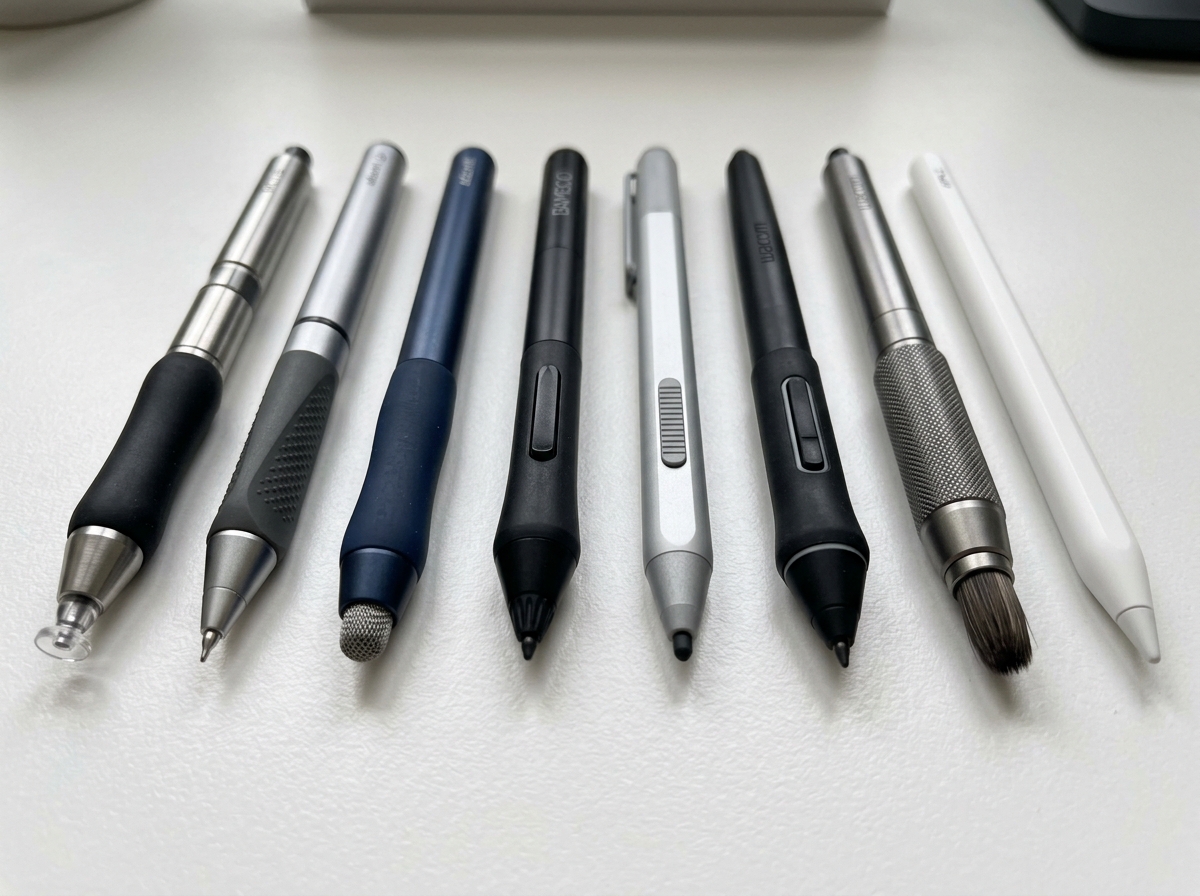
Pressure sensitivity is equally vital. Modern styluses, such as those found with professional eNote models, boast up to 8,192 levels of pressure. This means if you press harder, the line gets thicker—just like a real pen. For those looking to upgrade their current setup, we’ve rounded up the best-stylus-for-smart-notebooks to help you find a tool that feels natural.
The physical design of the pen also matters. Some are triangular for better grip, while others are weighted to feel like a luxury fountain pen. You can explore the different-stylus-designs-for-optimal-writing to see which shape prevents fatigue during those marathon board meetings.
Enhancing Creativity with a Digital Notepad with Pen
Meetings aren’t just for bullet points; they are for brainstorming and visual thinking. A digital notepad with pen acts as a portable whiteboard. Whether you’re sketching a new UI layout or mapping out a marketing funnel, the ability to “undo” a stroke or move a drawing across the page is a superpower paper simply doesn’t have.
Using a stylus-for-creative-digital-journaling allows you to blend professional notes with creative flourishes. To ensure your sketches look sharp, you’ll want to look for stylus-tips-for-smooth-writing that offer the right amount of resistance. Devices like the latest color E-ink tablets even introduce color particles, allowing you to highlight and color-code your brainstorms in real-time.
Main Types of Digital Writing Systems for Meetings
Navigating digital handwriting can feel like a maze. To simplify things, we’ve broken down the four main “families” of devices you’ll encounter.
| Feature | E-Ink Tablets | Reusable Smart Notebooks | LCD Writing Pads | Smart Pen Systems |
|---|---|---|---|---|
| Display | High-contrast E-paper | Synthetic Reusable Paper | Pressure-sensitive LCD | Traditional Paper |
| Power | Rechargeable (Weeks) | None Required | Coin Cell (Months/Years) | Rechargeable Pen |
| Cloud Sync | Automatic (Wi-Fi) | Via Smartphone App | Manual / App Scan | Real-time Bluetooth |
| Price | Premium ($300+) | Affordable ($30-$50) | Budget (<$30) | Mid-Range ($100+) |
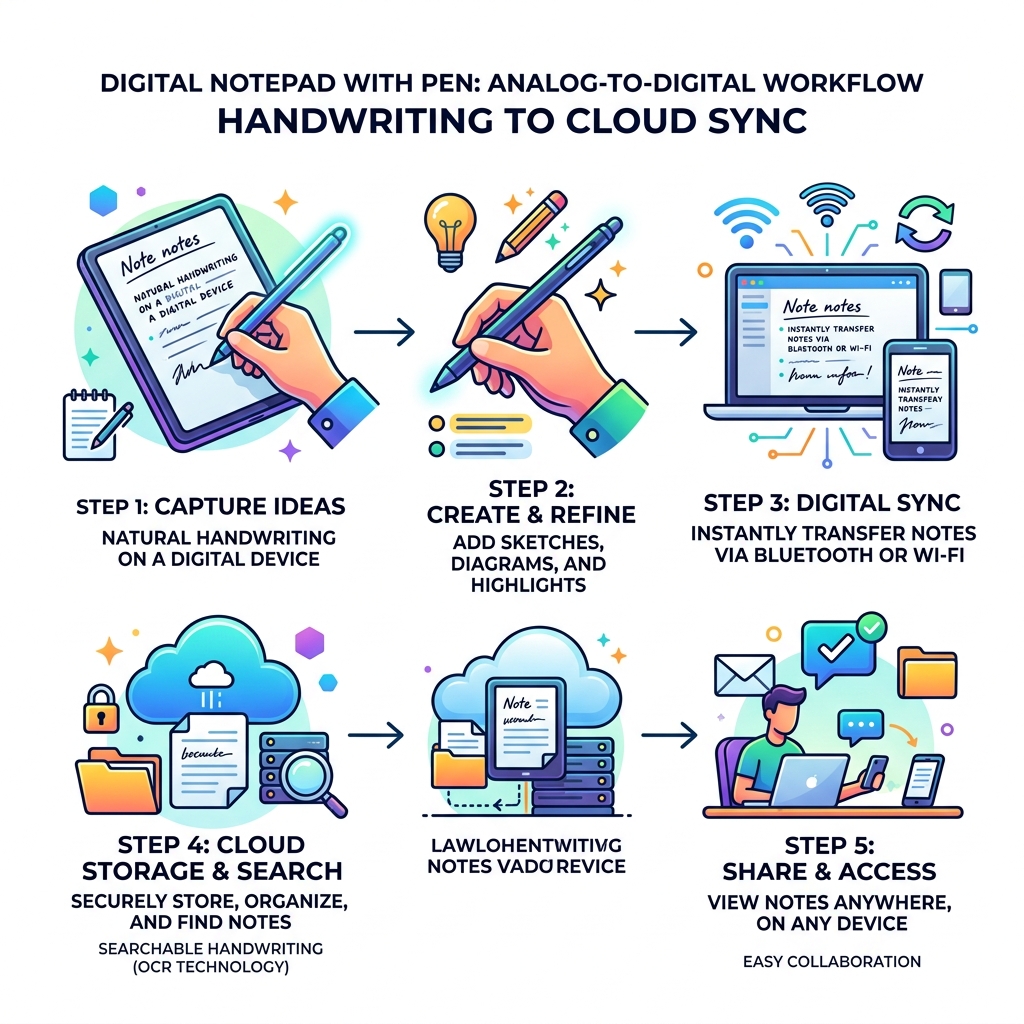
1. E-Ink Tablets: These are the heavy hitters. Devices like professional E-ink tablets offer a “distraction-free” environment—no emails, no social media, just you and your notes. They use millions of tiny ink particles to create a display that looks exactly like a printed book.
2. Reusable Smart Notebooks: This is where we at Open Diode specialize. Using a notebook like the Rocketbook Fusion, you write with a Pilot FriXion pen on specialized polyester pages. When you’re done, you use an app to “blast” your notes to the cloud and wipe the page clean with a damp cloth. It’s the most eco-friendly and cost-effective way to go digital.
3. LCD Writing Tablets: Think of these as the modern “Etch-a-Sketch.” Brands offering LCD writing tablets provide a simple surface for quick jottings. While many don’t have “smart” features, some newer models allow you to save your work via a dedicated app.
4. Smart Pen Systems: If you can’t give up the feel of actual wood-pulp paper, these are for you. Systems like premium smart pen sets use a pen with a tiny camera to track your movement on specially encoded paper. For a comparison of these hybrid tools, see our dual-function-digital-pens-for-smart-notebooks-comparison and our broader digital-pens-comparison-for-smart-notebooks.
Digital vs. Traditional Paper: The Professional Advantage
We’ve all been there: frantically flipping through a half-used spiral notebook trying to find that one brilliant idea from a meeting three weeks ago. Traditional paper is great for the act of writing, but it’s terrible for retrieval.
A digital notepad with pen offers a “Search” function for your handwriting. Using Optical Character Recognition (OCR), many of these devices can index your scrawls. Imagine typing “Project X” into a search bar and having every handwritten page related to that project pop up instantly.
There is also a massive scientific benefit to handwriting. Research shows that students and professionals who take notes by hand have better long-term comprehension than those who type. Typing is often a verbatim transcription (mindless), while handwriting requires you to process information and summarize it (mindful).
From a security standpoint, digital notes are much harder to lose. If you leave your physical notebook in a taxi, those ideas are gone. If you lose your digital notepad, your notes are already backed up to Google Drive or Dropbox. Plus, you can choose the best-performing-pens-for-smart-notebooks to ensure your writing is legible enough for the AI to read. And don’t worry about running out of steam—there are plenty of smart-notebook-ink-replacement-options available to keep you writing for years.
Frequently Asked Questions about Digital Handwriting Tools
How do digital notepads sync to cloud services?
Most modern systems offer seamless integration with the ecosystems we already use.
- E-ink tablets usually have built-in Wi-Fi and their own cloud service which then bridges to Google Drive, OneDrive, or Dropbox.
- Reusable notebooks (like the ones we offer) use a “Scan-to-Cloud” workflow. You mark a symbol at the bottom of the page, scan it with your phone, and the app automatically routes it to the correct folder.
- Smart pens often use Bluetooth to sync in real-time to an app on your iOS or Android device.
Are reusable notebooks more eco-friendly than traditional paper?
Absolutely. A single reusable notebook can replace hundreds of traditional paper pads. For example, the Rocketbook Core has about 32-36 pages, but because you can erase and reuse them thousands of times, you are effectively saving an entire forest over the life of the product. The synthetic materials are durable and designed to last for years, significantly reducing your office’s carbon footprint.
Can I convert my handwritten notes to typed text?
Yes! This is one of the most powerful features of a digital notepad with pen. Through OCR technology, apps can “read” your handwriting and convert it into a digital text file. This is a game-changer for meeting minutes. Instead of re-typing your notes after the meeting, you can simply convert them to text, polish the formatting, and email them to the team in seconds.
Conclusion
The transition from a messy stack of paper to a streamlined digital notepad with pen is more than just a tech upgrade—it’s a productivity revolution. Whether you choose a high-end E-ink tablet for deep focus or an affordable, reusable smart notebook for your daily tasks, you’re investing in a system that respects both your memory and your time.
At Open Diode, we believe in the power of the pen. Our mission is to provide tools like the Rocketbook Fusion that bridge the gap between the analog world we love and the digital world we work in. By going paperless, you aren’t just tidying your desk; you’re optimizing your entire workflow.
Ready to stop playing secretary and start leading your meetings? Start your digital note-taking journey with Open Diode and discover how the right pen can change everything.
