
Stop Throwing Away Your Notes: Here’s How a Reusable Smart Notebook Works
A reusable smart notebook is a notebook with special synthetic pages that you can wipe clean and reuse, combined with an app that scans and saves your handwritten notes to the cloud.
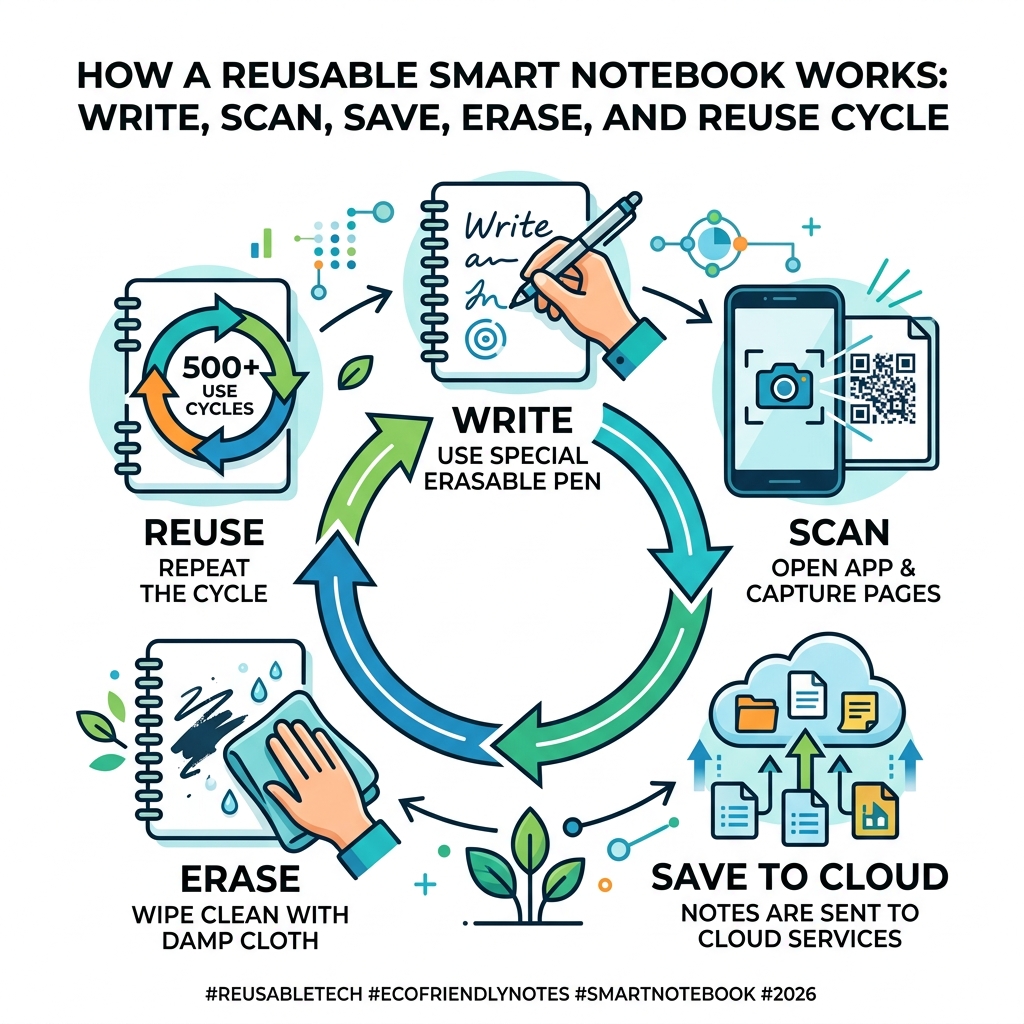
Here’s how it works at a glance:
- Write – Use a compatible erasable pen (like a Pilot FriXion) on the synthetic pages
- Scan – Open the free companion app and photograph your notes
- Save – Notes are sent automatically to cloud services like Google Drive, Dropbox, or Evernote
- Erase – Wipe the pages clean with a damp cloth
- Repeat – Some notebooks can handle 500+ reuse cycles
Most people throw away dozens of notebooks a year. The notes get lost, the paper piles up, and finding something you wrote three weeks ago feels impossible.
One user described it this way: she used to spend a small fortune on journals and pens — until she switched. She could suddenly funnel notes from seven different subjects straight into organized cloud folders, just by checking an icon and snapping a photo.
That’s the core idea behind a reusable smart notebook: the satisfaction of writing by hand, without the chaos of paper.
Prices range from around $10 to $450, depending on whether you want a simple paper-based notebook or a full e-ink tablet experience. So there’s an option for nearly every budget and workflow.
What is a reusable smart notebook and How Does It Work?
At its heart, a reusable smart notebook is a bridge between the analog world we love and the digital world we need. We’ve all felt that spark of creativity that only comes when a pen touches a page, but we’ve also felt the frustration of leaving that vital notebook on the kitchen counter when we’re at the office.
These notebooks solve that by using a specialized synthetic paper. This isn’t your standard wood-pulp paper; it’s often a polyester blend or a patented synthetic material that feels incredibly smooth—some users even say it feels more fluid than traditional paper. When you write on these pages using a specific type of erasable ink (most commonly the Pilot FriXion line), the ink bonds to the surface. However, because the paper is non-porous, the ink doesn’t “soak in.”
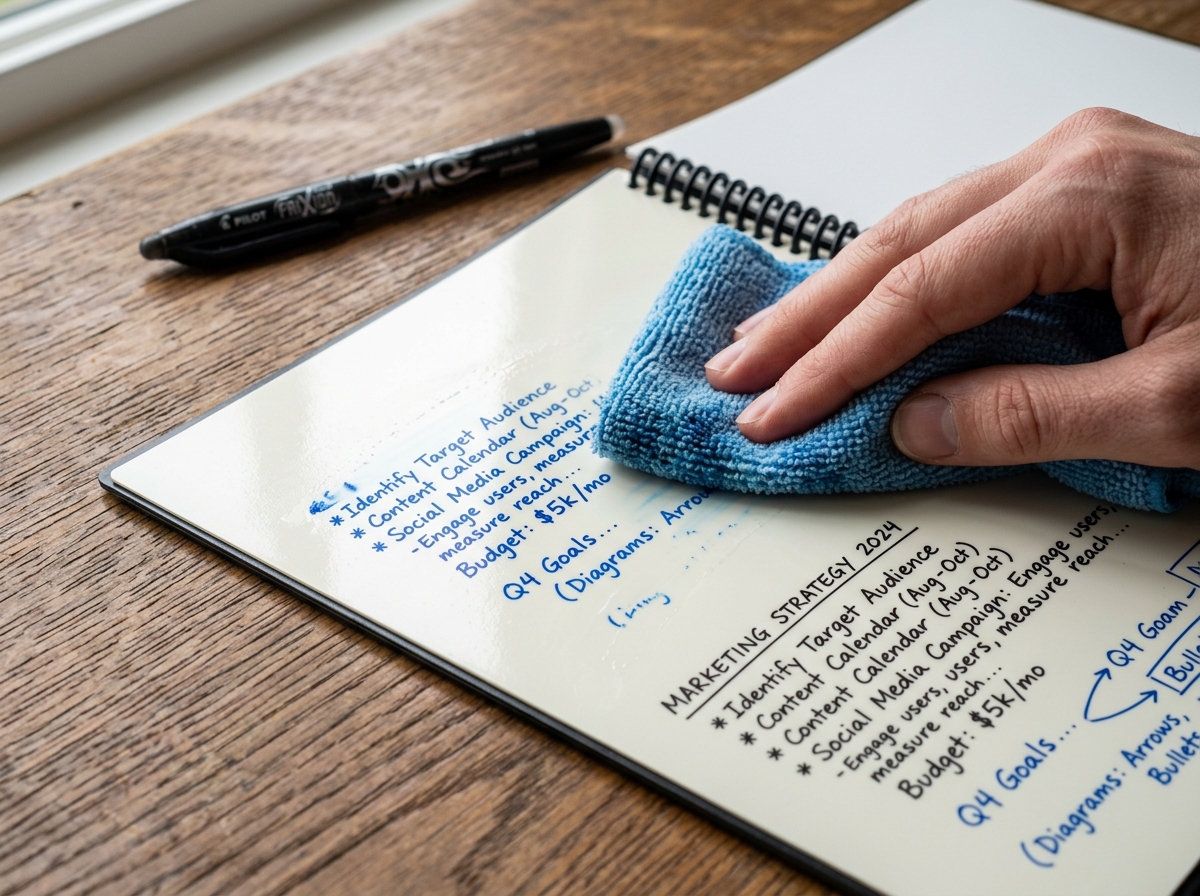
The “smart” part comes from the companion app. These apps are designed to recognize the borders of the notebook pages instantly. Many notebooks feature a grid of symbols at the bottom of each page. By marking one of these symbols, you tell the app exactly where to send that scan. Want your meeting notes in Slack and your grocery list in Google Drive? Just mark the corresponding icon and scan. The app crops the image, enhances the contrast so it looks like a crisp digital document, and blasts it off to your chosen cloud destination.
Once your notes are safely backed up in the digital ether, you simply take a damp microfiber cloth and wipe the page clean. It’s like a whiteboard that fits in your bag. For those interested in the environmental impact, exploring the best reusable notebooks for sustainability reveals how this simple cycle can save thousands of sheets of paper over a notebook’s lifetime.
Choosing the Right reusable smart notebook for Your Needs
Not all smart notebooks are created equal. Depending on whether you’re a student, a high-level executive, or a creative artist, your needs will vary. Some users prefer the “wipe-to-erase” style, while others might lean toward digital e-ink tablets that offer a more tech-heavy experience.
When you’re shopping around, consider these factors:
- The “Feel”: Does it feel like paper, or does it feel like writing on a whiteboard?
- The App: Is the companion app intuitive? Does it integrate with the cloud services you actually use (like Trello, OneDrive, or iCloud)?
- The Size: Do you need a “Letter” size (8.5″ x 11″) for heavy note-taking, or an “Executive” size (roughly A5) for portability?
To help you decide, we’ve put together a comparison of common features you’ll find across the market:
| Feature | Paper-Based Smart Notebook | E-Ink Digital Tablet |
|---|---|---|
| Price Range | $15 – $60 | $200 – $450+ |
| Page Feel | Smooth, synthetic polyester | Gritty, paper-like screen |
| Battery Life | No battery required | 2 weeks to 3 months |
| Erasability | Water and cloth | Digital “erase” button |
| Cloud Sync | Smartphone app scan | Direct Wi-Fi sync |
| Weight | Very light (standard notebook) | Heavier (tablet feel) |
If you’re looking for affordable alternatives to traditional notebooks, the paper-based reusable models offer the best bang for your buck without requiring a charger.
Essential Features of a High-Quality reusable smart notebook
What separates a “genius” notebook from a basic one? It’s all in the software features. A high-quality reusable smart notebook should offer more than just a photo of your page.
OCR (Optical Character Recognition): This is the holy grail for note-takers. OCR technology reads your handwriting and converts it into searchable text. Imagine typing “Project X” into your computer and having your handwritten notes from three months ago pop up instantly. Some apps even allow you to convert these scans into Word documents or searchable PDFs.
Smart Titles and Tags: Efficiency is key. Some notebooks allow you to write a title between two sets of hashtags (e.g., ##Meeting Notes##). When you scan the page, the app automatically names the file “Meeting Notes.” This saves you the tedious task of renaming “Scan_1234.jpg” every time you save a thought.
Cloud Destinations: A great notebook should play well with others. Look for apps that integrate with at least 10-12 destinations, including Slack, Dropbox, Evernote, and even iMessage or email.
To protect your investment and enhance the experience, many users look into innovative accessories for reusable notebooks, such as specialized pen holders or cases made for eco-friendly smart notebooks that keep your synthetic pages safe from scratches and oils.
Key Benefits of Switching to Digital Handwriting
Why bother with a reusable smart notebook when you could just type on a laptop or use a standard $2 spiral? The reasons are backed by both environmental science and neurology.
1. Sustainability and Cost-Effectiveness The average student or professional can go through dozens of notebooks in a few years. By using a notebook that can be reused over 500 times, you are quite literally saving a small forest. Beyond the “green” factor, it’s a massive money saver. You buy one notebook and a pack of pens, and you’re set for years.
2. Enhanced Brain Connectivity Research, such as studies discussed by NPR, suggests that the physical act of writing by hand helps with memory retention and cognitive mapping. When we type, we tend to transcribe verbatim without processing. When we write, our brains are forced to summarize and synthesize information. A smart notebook gives you this “brain boost” while still providing the digital backup of a laptop.
3. Searchability and Organization Traditional notebooks are “dead” data. Once a notebook is full, it goes on a shelf, and the information inside is effectively lost unless you spend hours flipping through pages. Smart notebooks turn your handwriting into “live” data. With digital folders and OCR, your notes are as easy to find as a Google search result.
For a deeper dive into the environmental impact, check out the ultimate guide to eco-friendly smart notebooks.
How to Care for Your Reusable Pages
To ensure your reusable smart notebook lasts for its promised 500+ cycles, you need to treat it with a little more love than a standard pad of paper. These aren’t fragile, but they do have a specialized coating that makes the “magic” happen.
The Cleaning Process The best way to clean your pages is with a microfiber cloth and a few drops of warm water. We recommend cleaning your pages at least once a month. If ink sits on the page for months at a time, it can lead to “ghosting”—a faint residue left behind. A quick wipe with a damp cloth followed by a dry section of the towel will keep the pages pristine.
Avoid the Eraser This is a big one! While Pilot FriXion pens have an eraser on the end, we strongly advise not using it on synthetic pages. The friction-based eraser can actually abrade the synthetic coating, making it harder for the ink to stick in the future. Stick to the water-and-cloth method for the best results.
Pressure and Solvents Because the paper is soft and synthetic, pressing too hard with your pen can leave “indentations” in the page that won’t go away. Write with a light touch—the ink flows easily anyway! Also, keep the pages away from oils, lotions, and harsh solvents like rubbing alcohol, which can strip the page’s coating.
For more detailed maintenance tips, see a guide to erasing and reusing your smart notebook pages or our step-by-step walkthrough on how to erase and reuse smart notebooks.
Who Should Use a Reusable Notebook?
We’ve found that almost anyone who picks up a pen can benefit from this technology, but a few groups find it particularly “life-changing.”
- Students: Carrying five heavy notebooks to class is a thing of the past. One reusable smart notebook can handle every subject. Scan the notes after class, erase, and you’re ready for tomorrow. It’s the ultimate tool for reusable notebooks for students.
- Business Professionals: In meetings, typing on a laptop can create a “wall” between you and your clients. Writing in a notebook feels more personal and attentive. With a smart notebook, those meeting minutes are in your team’s Slack channel before you’ve even left the room.
- Artists and Designers: Whether it’s a quick logo sketch or a UI wireframe, being able to instantly digitize a drawing and send it to a cloud folder for further editing in Photoshop or Illustrator is a game-changer.
- Educators: Teachers use them for lesson planning and administrative tasks, allowing them to keep a digital archive of their curriculum without the paper clutter in their desks.
Frequently Asked Questions about Smart Notebooks
Can handwritten notes be converted to text?
Yes! This is one of the most powerful features of a modern reusable smart notebook. Using OCR technology within the companion app, your handwriting can be transcribed into digital text. While the accuracy depends on how neat your handwriting is, most systems are surprisingly good at deciphering even “doctor-style” cursive. Some advanced AI features can even summarize 15 pages of notes into a concise one-page bulleted list.
What pens are compatible with these notebooks?
For paper-based reusable notebooks, you generally must use “thermosensitive” ink. The most popular and widely recommended line is the Pilot FriXion. These come in gel pens, markers, and even highlighters. The ink is designed to become transparent when heated (by friction) or dissolved when wiped with water. Using a standard ballpoint pen on synthetic pages will likely result in permanent marks, so always double-check your pen!
How many times can a page be reused?
Most high-quality synthetic notebooks, like those we offer at Open Diode, are rated for over 500 reuses. If you use one page every day, that single page could last you nearly a year and a half. In practice, because you have dozens of pages in a single notebook, one smart notebook can easily last for several years of heavy use, provided you follow the care instructions.
Conclusion
The transition to a paperless lifestyle doesn’t have to mean giving up the tactile joy of handwriting. At Open Diode, we believe in pioneering the future of stationery through cloud-connected, reusable tools. Whether you are looking for the versatility of the Rocketbook Fusion or a professional-grade notebook for the boardroom, the goal is the same: seamless organization and a lighter footprint on our planet.
Ready to clear the clutter and supercharge your productivity? It’s time to stop wasting paper and start your journey toward a more organized, eco-friendly future.
Start your paperless journey today and see why so many professionals and students are making the switch.
