
Why AI Organized Handwritten Notes Are Changing How We Work and Study
AI organized handwritten notes are the fastest-growing solution for professionals and students who love writing by hand but hate the chaos that follows.
Modern AI solutions offer a variety of features tailored to different needs:
- High-Accuracy OCR: Converts handwriting to Word, Excel, or PDF with near-perfect precision.
- Rapid Conversion: Processes meeting notes into structured documents in under a minute.
- Ecosystem Integration: Syncs seamlessly with existing cloud storage and productivity apps.
- Academic Tools: Transforms photos of notes into study guides and to-do lists.
- Technical Support: Handles complex math, tables, and flowcharts for researchers.
- Visual Mapping: Converts linear handwriting into interactive mind maps.
Think about this: manually retyping one page of notes takes 15-20 minutes. If you attend four meetings a week, that adds up to roughly 156 hours of transcription work every year – nearly four full work weeks spent just moving words from paper to screen.
And yet, most people still haven’t made the switch to AI.
Part of the problem is digital clutter. You’ve got notes in three apps, photos on your phone, and sticky notes on your desk. Nothing connects. Nothing is searchable. Great ideas get buried and forgotten.
That’s exactly what ai organized handwritten notes tools are built to solve. They don’t just copy your words – they structure them, summarize them, and make them searchable in seconds.
This guide explores the best AI solutions available right now, so you can find the one that fits your workflow.
The Evolution of AI Organized Handwritten Notes
For decades, we relied on standard Optical Character Recognition (OCR). If you’ve ever used old OCR, you know the frustration: it frequently turned a beautifully scripted “Meeting” into “M33t1ng.” It was designed for printed type, not the unique, often messy curves of human penmanship.
The shift to ai organized handwritten notes represents a massive leap in technology. Modern AI doesn’t just look at shapes; it understands context. It uses Large Language Models (LLMs) to predict what a word should be based on the words around it. This is why top-tier AI tools can now boast a 99.2% accuracy rate, even when dealing with cursive.
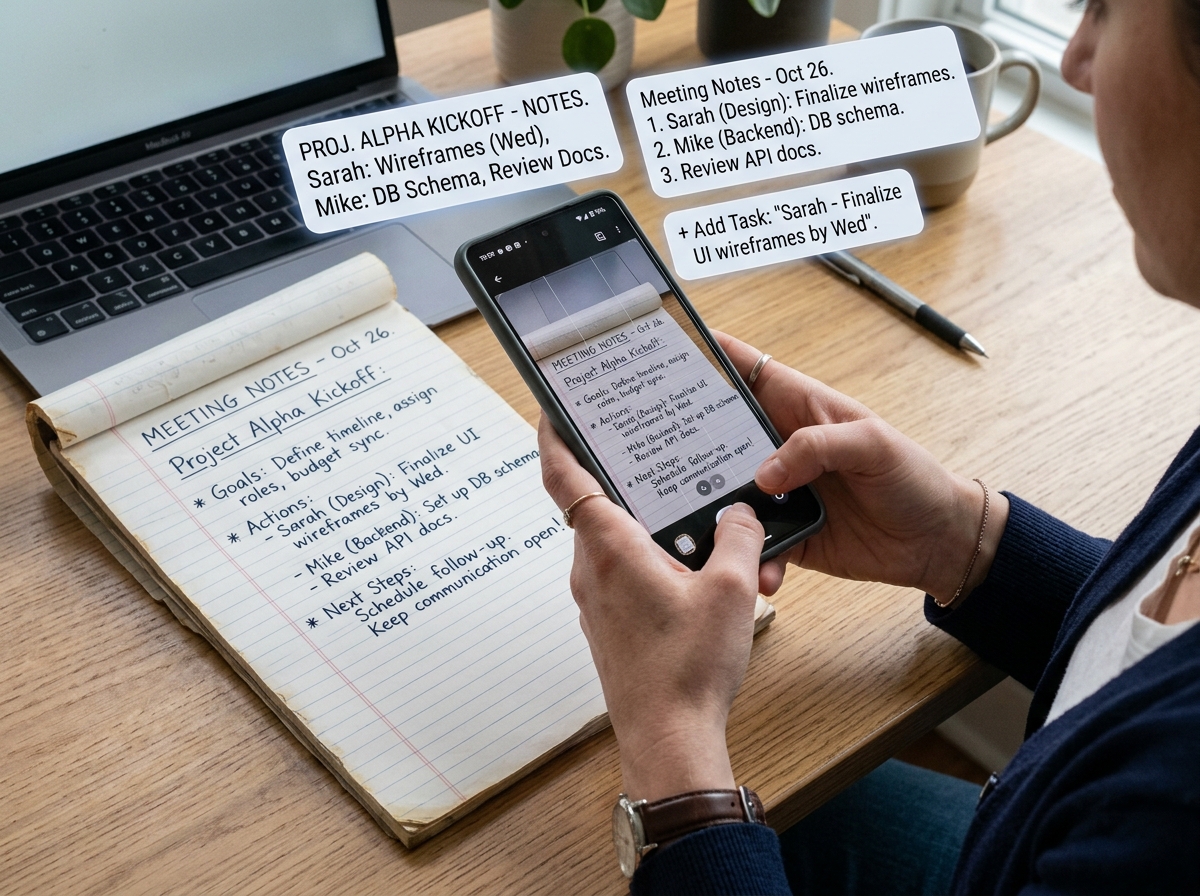
Beyond simple transcription, AI now handles layout reconstruction. If you drew a table or a list on paper, the AI recognizes that structure and reproduces it in Word or Excel. This eliminates the “transcription tax”—that 156 hours wasted annually—allowing you to focus on the actual content of your ideas. Research shows that handwriting significantly boosts cognitive processing compared to typing, as it engages more complex brain patterns. By using AI to bridge the gap, we get the cognitive benefits of the pen with the efficiency of the cloud. If you’re ready to dive deeper into the mechanics, check out our guide on how to master handwriting to text conversion.
Essential Features of Modern AI Note-Taking Solutions
When you’re comparing solutions for ai organized handwritten notes, you shouldn’t just look for “text extraction.” You need a tool that acts as a digital assistant. Modern solutions offer a suite of features that turn raw scribbles into professional documents.
Key features to look for include:
- Automated Tagging: AI analyzes the content and suggests tags, making retrieval effortless.
- Multi-Language Support: Many tools now support over 100 languages, including complex scripts like Japanese Kanji or Arabic.
- Semantic Search: Instead of searching for a specific keyword, you can ask your notes questions (e.g., “What did we decide about the budget?”) and the AI finds the answer.
- Format Conversion: The ability to export directly to LaTeX for math, or Excalidraw for flowcharts.
To help you decide, we’ve broken down the core capabilities of top-tier AI organization tools:
| Feature | Description | Benefit |
|---|---|---|
| Transcription | Converts ink to digital text | Makes notes editable and searchable |
| Summarization | Distills pages into key points | Saves time during review |
| Hierarchy Detection | Identifies headings and bullets | Creates structured, professional docs |
| Contextual Recall | Surfaces related past notes | Connects ideas automatically |
For more on optimizing your workflow, see our article on techniques to enhance note organization and retrieval digitally. Efficiency is more than just speed; it’s about how you interact with your data. A study on digital note-taking efficiency suggests that the way we organize information directly impacts our ability to apply it later.
Structuring AI Organized Handwritten Notes for Professionals
For professionals, ai organized handwritten notes are a lifesaver during back-to-back meetings. Instead of spending Friday afternoon retyping minutes, advanced AI tools can convert your scribbles into a structured .docx in under 60 seconds.
In specialized fields like healthcare, AI scribes are revolutionizing the patient encounter. Doctors can maintain the “paper habit”—which is often faster and less intrusive than typing during a consultation—while the AI handles the EHR (Electronic Health Record) integration. These tools are often HIPAA compliant and SOC 2 secure, ensuring that sensitive data remains private while expanding shorthand notes into full professional narratives.
If you’re looking to streamline your professional workflow, explore these key tips for efficient note organization.
Visualizing AI Organized Handwritten Notes for Students
Students face a different challenge: the sheer volume of information. AI organized handwritten notes allow students to turn a semester’s worth of notebooks into a searchable archive. AI-powered visualization tools can take a photo of a lecture page and instantly generate a hierarchical mind map, which is far more effective for exam revision than linear text.
With the Rocketbook system, students can write their notes, scan them to a specific destination (like a “Biology” folder in Google Drive), and then wipe the page clean to use it again. This blend of physical writing and digital permanence is a game-changer for academic success. Learn more about organizing your notes effectively in rocketbook to maximize your study time.
Best Practices for Capturing High-Quality Digital Scans
The “AI” part of ai organized handwritten notes is powerful, but it still relies on the quality of the input. To get that 99% accuracy, you need to provide a clear image. Garbage in, garbage out!
- Lighting is Everything: Use natural light or a bright, even desk lamp. Avoid shadows (like the one cast by your phone) by tilting the notebook slightly.
- Stay Flat: If you’re using a traditional bound notebook, hold the pages down. AI struggles with text that disappears into the “gutter” of a curved book spine.
- High Contrast: Use dark ink (black or dark blue) on light paper. Pencil can sometimes be too faint for the AI to distinguish from the background.
- The “Directly Above” Rule: Don’t take photos at an angle. Aim your camera directly over the center of the page to avoid perspective distortion.
By following these steps, you ensure your AI tool can accurately map the document geometry. For those capturing complex thoughts, our guide on how to organize creative ideas digitally offers further strategies for managing non-linear notes.
Frequently Asked Questions about AI Note Organization
How accurate is AI at reading messy or cursive handwriting?
It is surprisingly accurate! Modern AI uses stroke pattern analysis, which looks at the “path” the pen took rather than just the static image. This allows it to decipher connected cursive and even “rushed” handwriting. Most top-tier tools achieve 95% to 99% accuracy. Many apps also provide “confidence scores,” flagging specific words it isn’t sure about so you can quickly verify them in seconds.
Can AI create action items and summaries from my notes?
Yes. This is the “Organization” part of ai organized handwritten notes. Advanced AI can distinguish between a general observation and a task. It can automatically extract to-do lists, create executive summaries, and even suggest follow-up questions. This moves the technology from “transcription” to “thinking partner.”
Is my sensitive handwritten data secure in the cloud?
Security is a top priority for reputable AI note-taking companies. Look for tools that offer data sovereignty (you own your data) and end-to-end encryption. Many professional-grade tools use private servers and guarantee that your personal notes will never be used to train their public AI models.
Conclusion
The era of lost ideas and wasted hours is over. By embracing ai organized handwritten notes, we can finally enjoy the tactile, cognitive benefits of pen and paper without the digital “black hole” that usually follows. Whether you are a doctor needing HIPAA-compliant records, a student prepping for finals, or a creative professional juggling a dozen projects, there is an AI tool designed for your specific needs.
At Open Diode, we believe in the power of the written word. That’s why we champion tools like the Rocketbook Fusion, which bridges the gap between the physical and the digital. Ready to take control of your information? Start your journey toward staying organized in a digital world today.
