
What Are App Connected Erasable Pages?
The app connected erasable pages trend is changing how we take notes. If you’re wondering what these innovative tools are, here’s a quick overview:
- Physical-Digital Hybrid: These are physical notebooks with special, reusable pages.
- Specialized Writing: You write on these pages using specific, erasable pens.
- Instant Digitization: A companion app on your smartphone or tablet scans your handwritten notes.
- Cloud Storage: Your digitized notes can be instantly saved to various cloud storage services like Google Drive or Dropbox.
- Endless Reuse: Once scanned, you simply wipe the pages clean to start fresh.
For busy professionals and students, these notebooks offer a powerful solution. They combine the familiar feel of pen and paper with the convenience of digital organization. No more scattered notes or wasted paper. This technology helps you save money and stay highly productive. It’s a smart way to keep your thoughts organized and accessible from anywhere.
How App Connected Erasable Pages Work
At first glance, an app connected erasable pages notebook looks like any other high-quality journal. However, the “magic” lies in the material science. Most of these pages are crafted from a synthetic polyester blend. This isn’t your standard wood-pulp paper; it’s a smooth, non-porous surface designed to work in tandem with specialized inks.
The primary technology used here is thermochromic ink, most famously found in Pilot FriXion pens. When you write, the ink bonds to the synthetic surface. To erase, you don’t need a magic wand—just a little bit of water. By using a damp microfiber cloth, you can wipe the ink away completely, leaving the page looking brand new.
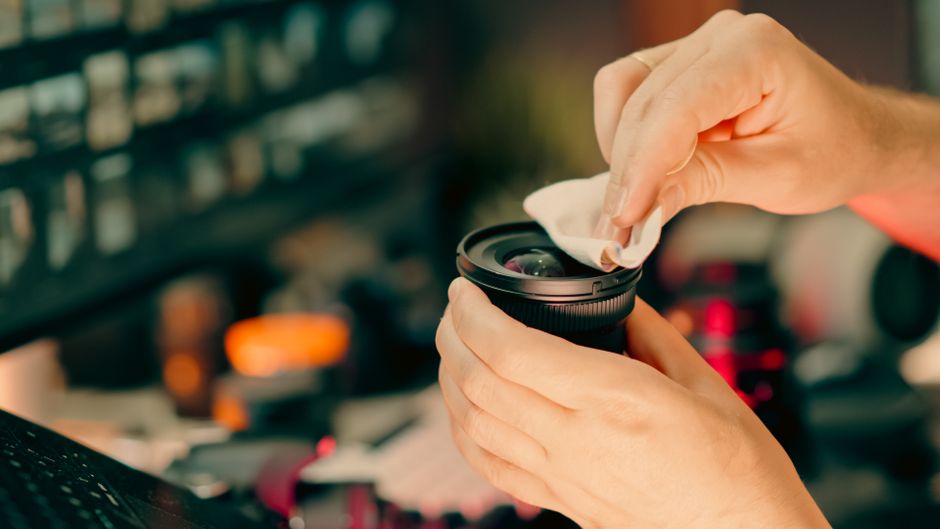
Maintaining these pages is straightforward, but there are some “pro tips” to keep in mind. For instance, you should avoid using the physical eraser on the end of a FriXion pen, as the friction can actually damage the specialized coating on the synthetic page over time. Instead, stick to the damp cloth method. We recommend cleaning your pages at least once a month to prevent “ghosting,” which is when faint remnants of old ink stay visible. For a deep dive into maintenance, check out A Guide to Erasing and Reusing Your Smart Notebook Pages or our detailed walkthrough on How to Erase and Reuse Smart Notebooks.
The Benefits of Using App Connected Erasable Pages for Productivity
Why not just use a tablet? Or a standard $2 notebook? The answer lies in the “Goldilocks” zone of productivity. Purely digital note-taking on a glass screen often lacks the tactile feedback our brains crave. Research, such as studies highlighted in Psychological Science, suggests that the physical act of writing improves spatial memory and information retention.
By using app connected erasable pages, we get the cognitive benefits of handwriting without the clutter of physical paper. It reduces “productivity guilt”-that feeling of having stacks of half-finished notebooks lying around. When you fill a page, you digitize it, wipe it, and your “mental workspace” is clear again.
If you are torn between going fully digital or staying analog, our guide on Digital Paper Notebooks: A Comparison of the Top Contenders breaks down the hardware differences. For those more interested in the software side, we’ve also compiled a Smart Notebook Apps Comparison to help you find the right interface for your workflow.
Digitizing Handwritten Notes with App Connected Erasable Pages
The “app” part of app connected erasable pages is where the heavy lifting happens. Companion apps for reusable smart notebooks use your phone’s camera to capture the page. But this isn’t just a standard photo. These apps use machine vision to auto-crop the image, adjust the contrast, and remove shadows, resulting in a scan that looks like a professional digital document.
The real power, however, is Optical Character Recognition (OCR). OCR technology “reads” your handwriting and turns it into searchable text. This means you can search for a keyword like “Project X” in your app, and it will find every handwritten page where you mentioned it.
Integration is another key feature. You can configure these apps to send your notes to specific “cloud destinations.” For example, marking a specific icon on the bottom of a compatible page can automatically route that scan to a specific folder in Google Drive, an email to your boss, or a channel in Slack. You can learn more about these integrations in our guide to Syncing Your Smart Notebook with Popular Apps and see which tools make the Best Apps to Pair with Smart Notebooks.
Maximizing Organization with App Connected Erasable Pages
Modern smart notebooks offer “smart” features that feel like they’re from the future:
- Smart Titles: By wrapping a heading in double hashtags (e.g., ## Meeting Notes ##), the app can automatically name the file based on that text.
- Smart Tags: Assign specific tags to your scans for easy filtering later.
- Smart Lists: Some apps can detect checkboxes on your page and automatically create a digital to-do list in the app.
- Live sharing modes: Some notebook apps let you share a unique URL with your team so each new scan updates a shared view, making remote collaboration much easier.
- Searchable Handwriting: No more flipping through hundreds of pages to find a phone number. If you wrote it, you can search for it.
Sustainability and the Environmental Impact of Reusable Stationery
One of the most compelling reasons to switch to app connected erasable pages is the environmental factor. Millions of reusable smart notebooks have been sold worldwide. If each of those replaced just five traditional notebooks, that’s tens of millions of notebooks kept out of landfills.
Traditional paper production is water and energy-intensive. By contrast, a single reusable notebook can last for years. You aren’t just saving trees; you’re reducing the carbon footprint associated with manufacturing and transporting heavy paper products.
Beyond the “green” factor, there is a clear “gold” factor—your wallet. While a smart notebook has a higher upfront cost (typically $30-$40), it pays for itself within a year if you are a heavy note-taker. For a deeper look at the eco-benefits, see our article Exploring the Best Reusable Notebooks for Sustainability.
Table: Traditional Paper vs. Reusable Pages (Estimated Annual Use)
| Feature | Traditional Paper (Heavy User) | Reusable Smart Notebook |
|---|---|---|
| Notebooks Purchased | 10-15 per year | 1 (lasts years) |
| Pages Consumed | 1,500+ | 32 (reused infinitely) |
| Total Cost | $100 – $150 | $35 – $40 |
| Waste Produced | High (Recycling/Trash) | Zero |
Choosing the Right Layout and Size for Your Workflow
Not all app connected erasable pages are created equal. Depending on whether you are a student, an executive, or an artist, your needs will vary.
- Letter Size (8.5″ x 11″): Best for students and heavy brainstormers who need maximum “territory” for their ideas.
- Executive Size (6″ x 8.8″): The “sweet spot” for most professionals. It fits easily in a laptop bag or purse but provides enough room for meeting minutes.
- Mini/Pocket Size: Perfect for quick “on-the-go” thoughts or grocery lists.
Layouts also matter. Dot grid is the most popular because it offers enough structure for writing but remains subtle enough for sketching. Lined pages are a classic for long-form journaling, while graph layouts are essential for engineers and designers. When shopping, look for features like scratch-resistant covers and durable spiral binding to ensure your notebook survives your daily commute. For more help deciding, check out our Smart Notebook Buying Guide.
Frequently Asked Questions about Smart Erasable Pages
What pens are required for app-connected erasable pages?
You must use pens from the Pilot FriXion line. These use a specialized ink that becomes invisible with heat (friction) or can be wiped away with water on synthetic surfaces. They come in various styles, including gel pens, markers, and highlighters. Using a standard ballpoint pen will permanently damage the pages, so keep your “regular” pens far away!
How do I digitize my notes to the cloud?
It’s a three-step process:
- Mark: Check the destination icon at the bottom of the page (if your notebook has them).
- Scan: Open the companion app and hold your phone over the page.
- Sync: The app automatically recognizes the page borders, enhances the image, and sends it to your pre-configured cloud service (Google Drive, Dropbox, Evernote, etc.).
How long do reusable pages typically last?
With proper care, a notebook can last for hundreds of “write-and-erase” cycles. The main factors affecting longevity are writing pressure (don’t press too hard, or you’ll leave indentations) and keeping the pages free of oils or lotions from your hands. If you treat it well, one notebook can literally last you through an entire degree or several years of a professional career.
Conclusion
The shift toward app connected erasable pages represents the best of both worlds. We don’t have to give up the tactile joy of writing to enjoy the benefits of a digital, searchable life. Whether you are using a versatile reusable notebook with multiple page templates or a reusable whiteboard notebook for its whiteboard-like feel, the goal is the same: better organization and less waste.
At Open Diode, we are passionate about finding the perfect The Best Cloud-Connected Smart Notebooks for Seamless Syncing to fit your unique lifestyle. Ready to declutter your desk and your mind? Visit Open Diode today to explore our curated selection of smart stationery.
