
Still Drowning in Paper Notes You Can’t Find Later?
Erasable notebook digital sync is the hybrid system that lets you write by hand, scan your pages with a smartphone app, and instantly back them up to the cloud — then wipe the pages clean and start over.
Here are the top reusable smart notebooks worth considering:
| Notebook | Best For | Sync Method | Reuse Per Page |
|---|---|---|---|
| Rocketbook Fusion | All-in-one productivity | App scan + cloud | Years with care |
| Rocketbook Core | Classic note-taking | App scan + cloud | 500+ times |
| Rocketbook Mini | On-the-go thoughts | App scan + cloud | Endlessly reusable |
Here’s the frustrating truth about paper notes: you write them, lose them, and can never search them. And going fully digital means giving up the feel of real pen on paper that actually helps you think and remember.
That’s the gap reusable smart notebooks fill.
The core idea is simple. You write on specially coated pages with a compatible pen. You scan or sync those pages to your phone. Your notes go straight to Google Drive, Dropbox, Evernote, or wherever you prefer. Then you wipe the page clean and use it again — sometimes hundreds of times over.
One Rocketbook user put it this way: “Holy cow I can easily find any of my notes?!?” — which is a pretty good summary of why people love this system.
For anyone juggling multiple devices, subjects, or projects, this write-scan-erase workflow is a quiet game-changer.

The Mechanics of Erasable Notebook Digital Sync
To understand how an erasable notebook digital sync system works, we have to look at the marriage of material science and software. Unlike a standard legal pad, these notebooks are engineered with synthetic polyester blend paper. This material is smooth, non-porous, and designed to work specifically with thermochromic ink.
The most common tool in this kit is the Pilot FriXion pen. The “magic” happens because FriXion ink becomes transparent when heat is applied. In a traditional sense, you’d use the rubber eraser on the pen to create friction (heat) to “erase” a mistake. However, in reusable notebooks, we use a drop of water on a microfiber cloth. The water breaks the bond of the ink on the synthetic surface, allowing it to be wiped away completely without leaving the “ghosting” or indentations common with traditional paper.
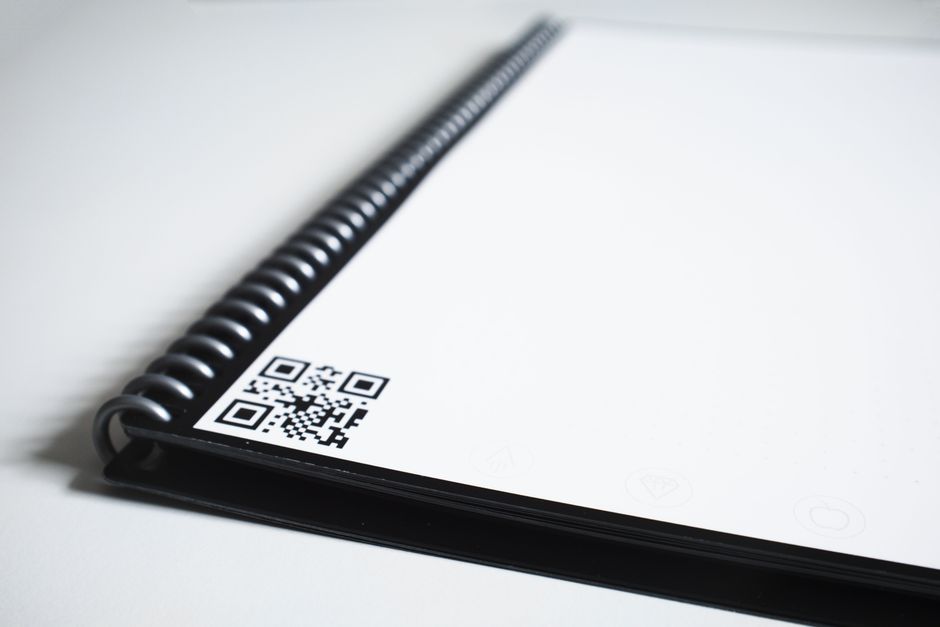
But how do the notes get into your phone? That’s where machine vision comes in. Most of these notebooks feature a dark border and unique QR codes on every page. When you point your smartphone camera at the page using a companion app, the software uses these markers to instantly crop, rotate, and enhance the image. It doesn’t just take a photo; it creates a high-contrast digital document that looks like it was created on a computer.
Some notebook systems focus on fast app-based capture after you finish writing, while others can support more advanced digitization workflows. For most users, the simple scan-and-sync method is the most practical approach: write by hand, scan with your phone, and send the page directly to the cloud.
If you’re curious about the specifics of the erasing process, you can find more detail in our article on how to erase and reuse smart notebooks.
Erasable Notebooks vs. Traditional Paper
| Feature | Erasable Smart Notebook | Traditional Paper Notebook |
|---|---|---|
| Environmental Impact | High (one notebook replaces hundreds) | Low (requires constant replacement) |
| Searchability | Digital indexing & OCR | Manual flipping of pages |
| Organization | Cloud-integrated folders | Physical filing or stacks |
| Durability | Waterproof synthetic pages | Vulnerable to spills and tears |
| Cost over time | One-time investment (~$30-$40) | Recurring costs of new pads |
Advanced Features of Erasable Notebook Digital Sync Apps
The real power of an erasable notebook digital sync system isn’t just the paper – it’s the intelligence of the companion app. Modern apps have moved far beyond simple image storage.
OCR (Optical Character Recognition) is the heavy hitter here. This technology “reads” your handwriting and converts it into editable digital text. For example, advanced OCR technology can transcribe over 70 different languages, including complex mathematical symbols and music notation. This means you can search for a specific keyword in your app, and it will find the exact handwritten page where you mentioned it.
We also see features like Smart Titles. By placing two hashtags (e.g., ## Project Alpha ##) at the top of your page, the app’s machine vision will automatically name the file “Project Alpha” when you scan it. This eliminates the tedious task of renaming “Scan_12345.pdf” a dozen times a day.
For a deeper dive into how these integrations work, check out our guide on syncing your smart notebook with popular apps.
Perfecting Your Erasable Notebook Digital Sync Setup
Setting up your workflow is the secret to becoming a productivity powerhouse. Most users start by assigning “Cloud Destinations.” In many smart notebooks, you’ll find a row of seven symbols at the bottom of each page (like an apple, a bell, or a diamond).
In the app, you can assign each symbol to a specific folder in your digital life:
- The Apple: Your “Work” folder in Google Drive.
- The Bell: A shared workspace or collaboration folder for your team.
- The Diamond: Your personal email for “To-Do” lists.
When you finish a page, you simply mark the symbol with your pen. When you scan the page, the app sees the mark and automatically “beams” the file to the correct location. No more manual sorting! Some systems also support quick sharing workflows, making it easier for a distributed team to follow notes and updates as they are scanned.
For recommendations on which hardware handles these tasks best, see our list of the best cloud sync smart notebooks.
Why Digital Minimalists are Switching to Reusable Paper
In an era of “notification fatigue,” digital minimalists are looking for “Calm Tech”—tools that provide the benefits of the digital world without the distractions of a screen. An erasable notebook digital sync system is the ultimate solution. It offers a tactile, “offline” experience that helps you maintain focus, yet it ensures your work isn’t trapped in a physical object that could be lost or coffee-stained.
The statistics back this up. Research shows that 95% of users feel more organized when using a smart notebook system. Even more impressively, 93% of users report better information retention compared to typing on a laptop. This is because the physical act of writing engages the brain’s filtering system (the Reticular Activating System), helping you process and prioritize information more effectively.
An erasable notebook costs a fraction of what you’d spend on traditional notebooks over time, never runs out of battery, and is “always on” and ready to capture a fleeting idea the second it strikes. Combined with cloud sync, it delivers the perfect balance of analog writing and digital organization.
If you’re worried about losing your physical book, the cloud backup for smart notebooks ensures that even if your notebook is destroyed, your ideas are safely tucked away in the digital ether. For more on the science of why this works, you might enjoy this scientific research on handwriting and memory.
Maintenance and Care for Infinite Reusability
To ensure your erasable notebook digital sync system lasts for years, you need to treat the pages with a bit of respect. While they are “endlessly” reusable, the synthetic coating can be damaged by improper care.
First, let’s talk about the cleaning process. We recommend a monthly “deep clean.” While you can erase individual mistakes as you go, leaving ink on the page for months can lead to “ghosting”—a faint residue of previous notes. To clean a full page, simply moisten a microfiber cloth with warm water. Wipe the page in a circular motion and immediately dry it with the dry side of the cloth.
Here are a few “pro tips” for longevity:
- Avoid the Pen Eraser: Even though FriXion pens have a rubber eraser, we suggest you don’t use it on synthetic pages. The friction can eventually wear down the special coating that makes the notebook erasable. Stick to the damp cloth.
- Mind the Pressure: Because the pages are synthetic, pressing too hard with the pen can leave physical indentations (debossing) in the material. A light touch is all you need.
- Watch the Chemicals: Never use “wet naps,” disinfectant wipes, or lotions on your notebook. These contain solvents and oils that can permanently strip the coating off the pages.
- Heat Sensitivity: The ink is thermochromic. If you leave your notebook in a hot car on a summer day, your notes might “disappear”! If this happens, don’t panic—pop the notebook in the freezer for 20 minutes, and the ink will usually reappear.
For a complete checklist on keeping your gear in top shape, read a guide to erasing and reusing your smart notebook pages.
Frequently Asked Questions
What pens are required for erasable notebooks?
Most erasable notebooks, like the Rocketbook series, require Pilot FriXion pens, markers, or highlighters. These use a specific heat-sensitive ink that bonds to synthetic paper but releases when touched by water. If you use a standard ballpoint pen or a Sharpie, the page will be permanently marked. If you are using a specialized “Smart Pen” system, you must use the proprietary pen provided, as it contains the infrared camera and Bluetooth hardware needed for the erasable notebook digital sync to function.
How many times can I reuse a single page?
Most manufacturers state that their pages can be reused over 500 times. In practice, if you follow the care instructions (using microfiber cloths and water), the notebook can last for several years of daily use. The “lifespan” usually ends when the synthetic coating becomes too scratched or indented to provide a smooth writing experience.
Can I search my handwritten notes digitally?
Yes! This is one of the primary benefits of the system. Through OCR transcription, the companion apps index your handwriting. Once your notes are synced to the cloud (Google Drive, Evernote, etc.), you can use the search bar in those apps to find specific words within your handwritten scans. Advanced smart notebook systems even allow you to export your notes directly as searchable PDF or Word documents.
Conclusion
At Open Diode, we believe that the future of productivity isn’t about choosing between analog and digital; it’s about finding the perfect bridge between them. An erasable notebook digital sync system offers the best of both worlds: the cognitive boost of handwriting and the infinite organization of the cloud.
Whether you are a student trying to organize seven different subjects, a teacher modeling math problems for a classroom, or a digital minimalist looking to reduce your screen time, these tools offer a sustainable, eco-friendly way to manage your ideas. By switching to reusable paper, you aren’t just saving money—you’re potentially saving an entire forest’s worth of traditional paper over your lifetime.
Ready to find your perfect match? Explore the best cloud-connected smart notebooks in our latest reviews and take the first step toward a more organized, eco-friendly digital life.
