
Too Many Features, Too Little Focus: Finding the Best Minimalist Note-Taking App
The best minimalist note-taking app is one that gets out of your way — fast to open, easy to organize, and simple enough that your notes don’t turn into a mess after a few weeks of heavy use.
Here are the top picks at a glance:
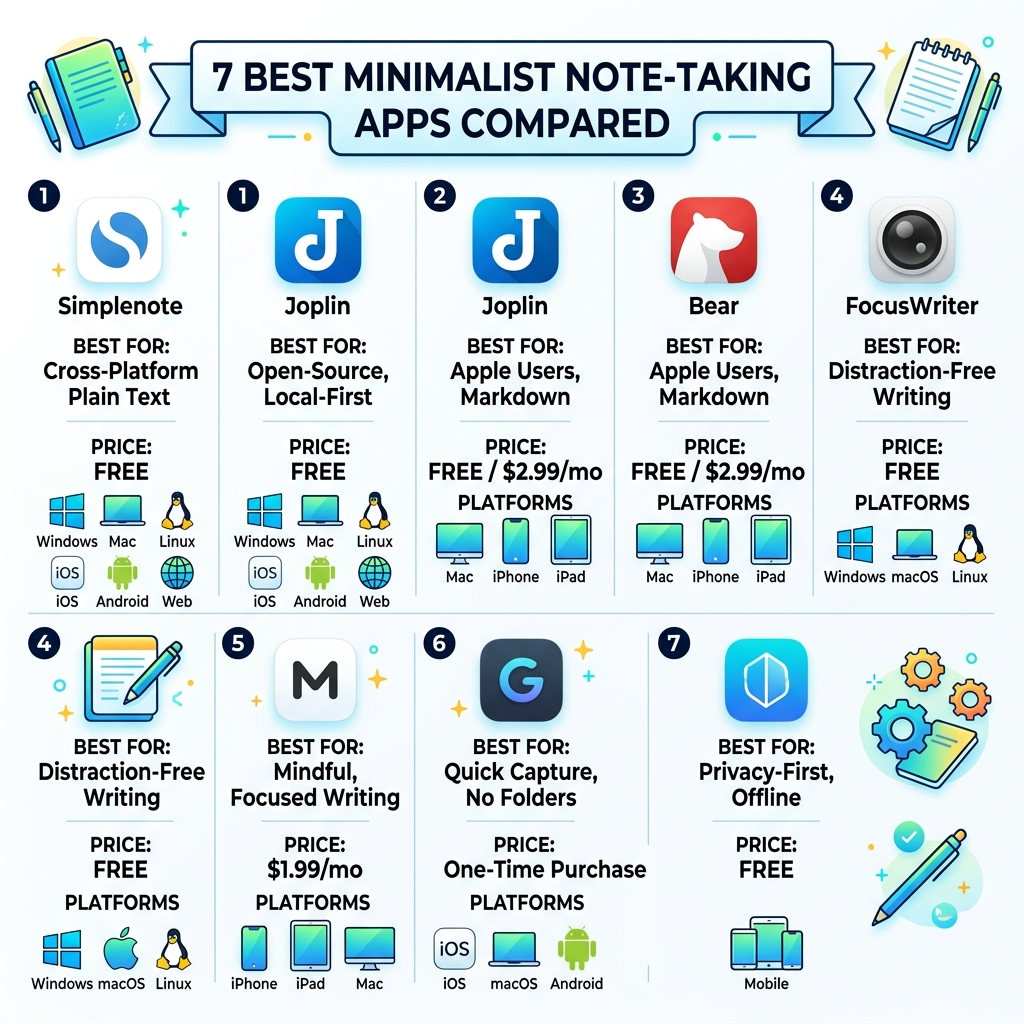
| App | Best For | Price | Platforms |
|---|---|---|---|
| Simplenote | Cross-platform plain text | Free | Windows, Mac, Linux, iOS, Android, Web |
| Joplin | Open-source, local-first | Free | Windows, Mac, Linux, iOS, Android |
| Bear | Apple users, Markdown | Free / $2.99/mo | Mac, iPhone, iPad |
| FocusWriter | Distraction-free writing | Free | Windows, macOS, Linux |
| Minimal | Mindful, focused writing | $1.99/mo | iPhone, iPad, Mac |
| Gravity | Quick capture, no folders | One-time purchase | iOS, macOS, Android |
| Subnote | Privacy-first, offline | Free | Mobile |
Most note-taking apps start simple. Then you add more notes. Then more folders. Then tags. Then suddenly you spend more time organizing your notes than actually using them.
Sound familiar?
The apps in this list are built differently. They stay manageable even after months of heavy use — because simplicity is baked into how they work, not just how they look.
What Makes the Best Minimalist Note-Taking App?
When we talk about the best minimalist note-taking app, we aren’t just talking about an app with a lot of white space (though that helps). True minimalism in software is about “friction”—or rather, the lack of it. It’s about how many clicks it takes to get an idea out of your brain and onto the screen.
A minimalist app should feel like a blank digital page. It shouldn’t ask you to choose a folder, pick a font, or categorize a “database” before you’ve even typed a single word. In our experience, the more “features” an app has—like AI assistants, complex relational databases, or flashy animations—the more likely it is to become a cluttered mess once you have more than fifty notes.
Data privacy and local storage are also hallmarks of great minimalist design. Many users prefer “local-first” apps because they are faster and don’t require an internet connection or a complex cloud login just to check a grocery list. By keeping things simple, these apps ensure you stay in control of your information.
Core Features of the Best Minimalist Note-Taking App
If you are hunting for the perfect tool, look for these five “pillars” of minimalism:
- Frictionless Capture: You should be able to go from opening the app to typing in under a second.
- Instant Search: When you have hundreds of notes, a powerful, lightning-fast search bar is better than a complex folder tree.
- Tag-Based Organization: Instead of nesting folders five levels deep, tags allow you to find what you need without the rigid hierarchy.
- Cross-Platform Sync: Your notes should follow you from your laptop to your phone without you having to press a “sync” button.
- Hide-Away Interfaces: The menus and toolbars should vanish while you are writing, leaving only you and your thoughts.
Top 7 Minimalist Apps for Distraction-Free Writing
The following apps have been vetted for their ability to stay simple even under heavy use. Whether you are a novelist, a student, or a professional looking to clear your mental clutter, one of these will fit your workflow.
Simplenote: The Best Minimalist Note-Taking App for Cross-Platform Speed
Owned by Automattic (the people behind WordPress), Simplenote is the “gold standard” for plain-text simplicity. It is completely free and works on virtually every device imaginable.
What makes Simplenote the best minimalist note-taking app for many is its “no-nonsense” approach. There are no images, no attachments, and no bold/italic buttons to distract you. It uses Markdown support for formatting, meaning you can keep your hands on the keyboard. One of its most underrated features is version history; because notes are backed up with every change, you can slide back in time to see what you wrote three days ago.
If you want an app that “just works” without a sync button, this is it. You can even publish your notes as web pages in seconds to share instructions or a list with a friend.
Learn more at the Minimal | Notes App – App Store (Note: While Simplenote is its own entity, users often compare it to other high-rated minimalist tools on the App Store).
Joplin: Open-Source Power with a Simple Interface
If you love the idea of having thousands of notes but hate the idea of a “cloud” company owning your data, Joplin is your best bet. It received a 4.5 ‘Outstanding’ rating from PCMag for a reason.
Joplin is a free, open-source alternative that handles notebooks and tags through a clean three-pane layout. It supports Markdown and end-to-end encryption, giving you total privacy. Because it is local-first, it handles large volumes of notes without the lag that plagues web-based competitors. It’s a powerhouse for those who want the organization of a traditional app without the digital bloat.
Bear: The Best Minimalist Note-Taking App for Apple Users
For those in the Apple ecosystem, Bear – Markdown Notes is a masterclass in design. It has won an Apple Design Award because it manages to be both “powerfully simple” and incredibly beautiful.
Bear uses a flexible tagging system (including nested tags like #work/project) and offers over 250 beautiful tag icons to help you navigate visually. It supports inline sketches—perfect if you use an Apple Pencil—and the Pro version offers OCR search, which can actually “read” the text inside your photos and PDFs. It’s the perfect blend of a cozy writing environment and professional-grade features.
FocusWriter: Pure Distraction-Free Writing
FocusWriter is a bit different. It isn’t just an app; it’s an environment. It’s completely free and runs on Windows, macOS, and Linux. When you open it, it takes over your entire screen, hiding everything except the text you are writing.
The interface only appears when you move your mouse to the edges of the screen. It uses local folders for storage, meaning it doesn’t have its own proprietary file system. This makes it incredibly durable—you’ll never lose your notes if the app stops being updated, because they are just text files on your hard drive. It’s a favorite for writers who need to enter a “flow state” for long-form projects.
Minimalist: Meditation-Inspired Focus
The Minimal | Notes app (also found at Minimal | Writing + Notes ) takes a philosophical approach to note-taking. Inspired by meditation and architectural design, it uses “empty space” to reduce user anxiety.
One of its most unique features is “Note Lifetime.” You can set a duration for a note; if it isn’t edited within that time, the app gently notifies you to act on it or let it go. This prevents your digital space from becoming a “junkyard” of old, irrelevant thoughts. It’s about non-attachment and keeping your mind focused on the present moment.
Gravity: The Append and Review Method
Let your thoughts sink in — Gravity is based on a method popularized by computer scientist Andrej Karpathy. It does away with folders and tags entirely.
Instead, Gravity uses a “single stream” of notes. You “Append” new thoughts to the top, “Review” the stream by scrolling, and “Rescue” the things that still matter by swiping them back to the top. Everything else naturally “sinks” and fades away. It’s an ADHD-friendly approach that removes the pressure of “organizing” and lets your natural attention curate what is important.
Subnote: Privacy-First and Account-Free
If you want zero tracking and zero accounts, Subnote – Simple Notes, No Distractions is the ultimate choice. It is “offline-first,” meaning your notes never leave your device.
Subnote is designed for “instant start.” From the moment you tap the icon to the moment you are typing is under a second. It’s built for quick capture, daily journals, or writing sprints. There are no subscriptions and no trials—just a clean, durable space for your plain-text thoughts.
Bridging the Gap Between Physical and Digital Notes
While digital apps are fantastic for search and portability, many of us still feel a deep connection to the act of writing by hand. Research shows that handwriting can improve memory retention and spark creativity in ways that typing simply can’t.
At OpenDiode, we believe you shouldn’t have to choose between the tactile feel of paper and the efficiency of the best minimalist note-taking app. That’s why we specialize in cloud-connected smart notebooks like the Rocketbook Fusion.
These notebooks feature reusable pages that you can write on with a standard Pilot Frixion pen. Once your page is full, you use the integrated app to scan your notes. The app “sees” symbols you’ve marked at the bottom of the page and automatically sends your notes to the right destination—whether that’s an email, a folder in Google Drive, or even a specific notebook in an app like Joplin or OneNote.
After you’ve synced your notes, you simply wipe the page clean with a drop of water and start over. It’s the ultimate minimalist physical setup: one notebook that lasts forever, bridging the gap between your physical desk and your digital “second brain.”
Frequently Asked Questions about Minimalist Note-Taking
Do minimalist note-taking apps support Markdown?
Yes, most do! Markdown is a simple way to format text (like using asterisks for bold) without needing a toolbar. Apps like Simplenote, Bear, and Joplin all use Markdown to keep the interface clean while still allowing for rich text features.
Are minimalist note apps secure and private?
Many are actually more secure than feature-rich alternatives. Apps like Subnote and Joplin prioritize local storage, meaning your data isn’t sitting on a company’s server where it could be leaked. If privacy is your top concern, look for apps that offer “end-to-end encryption” or “local-only” storage.
Can I use these apps offline without an account?
Absolutely. Apps like Subnote and FocusWriter require no account and work entirely offline. This makes them incredibly fast and reliable, as you aren’t dependent on a Wi-Fi connection to access your own thoughts.
Conclusion
Choosing the best minimalist note-taking app isn’t about finding the one with the most “stuff”—it’s about finding the one that feels like a natural extension of your mind. Whether you prefer the “Note Lifetime” of Minimal, the open-source freedom of Joplin, or the “Append and Review” flow of Gravity, the goal is the same: cognitive offloading.
By moving your ideas out of your head and into a simple, manageable system, you free up mental energy for what really matters—doing the work. And if you still love the feel of a pen in your hand, tools like our smart notebooks can give you the best of both worlds.
Ready to declutter your digital life? Start small, pick one app from this list, and let your thoughts finally have some room to breathe.
